
Structured Category System: How to Organize Your E-Commerce Store
Introduction
A great e-commerce experience starts with helping customers find what they’re looking for.
You can have excellent products and a beautiful website, but if visitors can’t easily navigate your store, discover relevant products, or understand how everything is organized, they may leave before making a purchase.
A structured category system helps organize your products in a way that makes sense for both customers and search engines.
The goal isn’t simply to create as many categories as possible.
It’s to create a clear structure that makes browsing simple and helps customers move naturally from a broad category to the products they’re looking for.
1. Start With Your Product Range
Before creating categories, take a step back and look at your entire product catalog.
Ask yourself:
- What types of products do you sell?
- Which products naturally belong together?
- How do customers usually search for these products?
- Are there different audiences with different needs?
- Which products deserve their own category?
For example, a fashion store might organize products by:
- Women
- Men
- Kids
- Accessories
From there, each category can be divided further based on product type.
The best structure usually follows the way customers naturally think about your products.
2. Keep Category Names Clear
Your category names should be easy to understand at a glance.
Avoid internal business terminology, overly creative names, or vague labels that customers may not recognize.
For example, a category called Accessories might be too broad if you sell many different types of accessories.
Depending on your store, it may be more useful to create clear categories such as:
- Phone Cases
- Chargers
- Headphones
Clear names help customers understand what they’ll find before clicking.
They can also provide useful context for search engines.
3. Use Subcategories When They Actually Help
Subcategories can make a large product catalog easier to navigate.
For example:
Women
→ Dresses
→ Tops
→ Jeans
→ Jackets
→ Shoes
This structure allows customers to move from a broad category to a more specific product group.
However, don’t create unnecessary levels just for the sake of having a complex structure.
If a customer has to click through several pages before reaching a product, the navigation may be working against them.
Keep the journey as simple as possible.
4. Think About How Customers Search
Your category structure should reflect real customer behavior.
Some customers browse broadly, while others arrive with a specific product in mind.
For example, someone might search for:
Men’s running shoes
rather than simply:
Shoes
That doesn’t mean every possible search term needs its own category.
Instead, use customer language to help shape your categories, subcategories, filters, product titles, and content.
Keyword research can also help you understand how people search for products in your industry.
The goal is to create useful category pages for real people, not simply add keywords everywhere.
5. Don’t Forget Filters and Search
Categories alone aren’t always enough.
As your product catalog grows, filters and on-site search become increasingly important.
Useful filters may include:
- Size
- Color
- Price
- Brand
- Material
- Availability
- Product type
For example, a customer browsing a category with 200 products may not want to scroll through every item.
Filters can help them narrow down the options quickly.
A good search function can also be extremely valuable for customers who already know what they’re looking for.
6. Make Important Categories Easy to Find
Your main categories should be easy to access from key areas of your website.
Depending on your store, this could include:
- Main navigation
- Homepage
- Mega menu
- Featured collections
- Internal links
Think about which categories are most important to your customers.
Your navigation doesn’t necessarily need to display every category you have.
Too many options can make a menu difficult to scan.
Instead, prioritize the main paths customers are most likely to take.
7. Design for Mobile
A category structure that works perfectly on a large desktop screen may feel completely different on mobile.
Mobile users have less screen space and often navigate using menus, search, and filters.
Make sure that:
- Categories are easy to open and close
- Menus don’t become overwhelming
- Filters are simple to use
- Important navigation options are easy to reach
- Product pages provide clear paths to related categories
Always test the actual shopping experience on mobile rather than only checking how the design looks.
8. Keep Your Structure Consistent
Consistency helps customers understand your store.
For example, if one part of your website uses categories based on product type while another organizes products by audience, the experience can become confusing.
Try to establish a clear logic for how products are organized.
Your navigation, category pages, breadcrumbs, filters, and internal links should support that structure.
A consistent system also makes managing your store easier as the product catalog grows.
9. Review Your Categories Over Time
Your category structure isn’t something you create once and never revisit.
As your business evolves, your product catalog and customer behavior may change.
Regularly review:
- Which categories receive the most traffic
- Which categories generate sales
- What customers search for on your website
- Where customers struggle to find products
- Whether certain categories have become too broad or too small
Analytics and customer behavior can help identify opportunities to improve the structure.
Sometimes a new category makes sense. Other times, combining categories can create a simpler experience.
10. Consider SEO as Part of the Structure
A well-organized category system can also support your SEO foundation.
Clear categories can help search engines understand the relationship between different products and pages on your website.
When creating category pages, consider:
- Clear and descriptive category names
- Helpful category descriptions where appropriate
- Logical URLs
- Internal linking
- Unique titles and meta descriptions
- Avoiding unnecessary duplicate pages
However, SEO shouldn’t make the customer experience worse.
The best category structure usually balances search visibility with simple, intuitive navigation.
Final Thoughts
A structured category system is about more than organizing products.
It’s about helping customers move through your store with less effort.
Start by understanding your products and your customers. Create clear categories, use subcategories when they genuinely help, and support larger catalogs with useful filters and search.
Most importantly, keep the structure simple.
If customers can quickly understand where they are, what they can find, and where to go next, your category system is doing its job.
more insights

Website Characterization: What to Define Before Building Your Website
Back to all insights Introduction Before you choose a platform, start designing pages, or write a single line of code, there is an important step

E-commerce Checklist
Back to all insights “` Ultimate E-commerce Checklist for Success & SEO Building and managing a successful e-commerce store involves more than adding products and
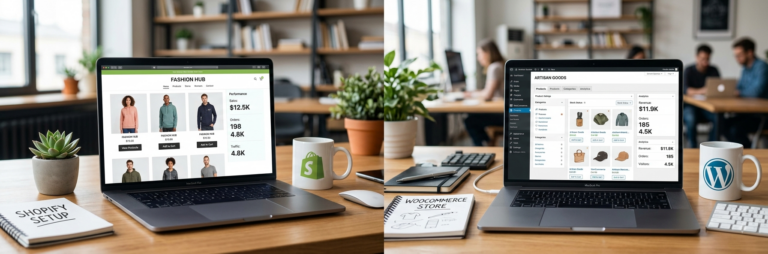
Shopify vs. WooCommerce: Which E-commerce Platform Is Right for Your Business?
Back to all insights Choosing an e-commerce platform is one of those decisions that can affect almost everything that comes after it. Your platform influences